
Why Every Astrophotographer Struggles Without an Autoguiding Setup for Stars
An autoguiding setup for stars is a system that uses a second small camera to watch a guide star in real time, then sends tiny correction signals to your mount — keeping your target locked in place during long exposures.
Here’s the quick version of what you need and how it works:
- Guide scope or off-axis guider — a secondary optical system to watch a nearby star
- Guide camera — a small, sensitive camera (mono recommended) that monitors star position
- Equatorial GoTo mount with ST-4 port — receives correction signals from the software
- Guiding software — PHD2 (free) is the most popular choice for beginners
- USB + ST-4 cable — connects camera to computer and computer to mount
Without autoguiding, even a well-aligned mount limits you to exposures of 30 to 120 seconds before stars start to trail. With autoguiding, you can push that to 30 minutes or longer — capturing faint nebulae, galaxies, and deep-sky objects that are simply invisible in short exposures.
The difference isn’t subtle. It’s the gap between a blurry smear and a pinpoint star field.
If you’ve ever spent a cold night outside, staring at the sky, only to come home with soft, trailed stars and a folder full of rejects — you already know the frustration. Most beginners assume it’s their camera settings or focus. Often, it’s the mount slowly drifting, frame by frame, in ways too small to see until it’s too late.
Autoguiding fixes that. And it’s far less complicated than it looks.

Simple autoguiding setup for stars word guide:
Why You Need an Autoguiding Setup for Stars
We have all been there: you set up your tripod, align your mount, and take a 60-second exposure of the Andromeda Galaxy. On the back of the camera, it looks okay. But when you zoom in on your computer later, the stars look like tiny jellybeans instead of sharp points of light. This is where an autoguiding setup for stars becomes your best friend.
Even the most expensive consumer mounts have mechanical imperfections. These are known as periodic errors—tiny fluctuations in the gears as they rotate. While a mount might track the sky generally well, it isn’t perfect. Without corrections, these errors manifest as star trails. If you are just starting out, check out our night sky photography complete guide to get the basics down before diving into advanced tracking.
The biggest benefit we see with autoguiding is the massive jump in the signal-to-noise ratio. In deep-sky photography, “signal” is the light from the galaxy, and “noise” is the graininess from your sensor. To get a clean image, you need long exposures. Without guiding, you might be stuck at 30-second frames. With a guided setup, 10-minute or even 30-minute exposures become possible. This allows you to capture dim details in nebulae that short exposures simply miss.
Historically, photographers had to do this manually—staring through a high-power eyepiece for an hour, manually clicking buttons to keep a star centered. Thankfully, modern software handles this with sub-pixel precision. We use RMS (Root Mean Square) error benchmarks to measure success; ideally, you want your total error under 1.0 arcsecond. If you’re wondering when the best time to practice this is, our timing tips for capturing stars can help you plan your session.
Improving Exposure Times and Image Quality
When we talk about sub-pixel tracking, we mean the software can detect a star moving by a fraction of a single pixel on the sensor. This precision is vital for long-focal length telescopes (like SCTs or long refractors), where even a microscopic vibration is magnified into a blurry mess. Autoguiding eliminates the “drift” caused by atmospheric refraction and slight polar misalignment, ensuring every frame in your stack is consistently sharp.
Overcoming Mount Limitations with an Autoguiding Setup for Stars
No mount is perfect. Even high-end mounts suffer from gear backlash—the tiny delay when a motor changes direction. An autoguiding setup for stars compensates for this by sending constant, tiny pulses to keep the gears engaged. Whether you are using the best portable mounts for photography or a heavy observatory pier, guiding helps overcome field rotation and tracking drift that would otherwise ruin a long night of imaging.
Essential Equipment for Your Autoguiding System
To build a functional autoguiding setup for stars, you need a few specific pieces of hardware. The centerpiece is an Equatorial GoTo mount. While some alt-azimuth mounts can be guided, they suffer from field rotation, making equatorial mounts the gold standard for deep-sky work.
You also need to decide how you will “see” the guide star. There are two main ways to do this:
| Feature | Guidescope | Off-Axis Guider (OAG) |
|---|---|---|
| Best For | Refractors & Newtonians | SCTs & Long Focal Lengths |
| Weight | Adds more weight to the mount | Very lightweight |
| Ease of Use | Easy to find stars | Can be tricky to find stars |
| Flexure | Risk of “differential flexure” | Eliminates flexure entirely |
| Cost | Generally more affordable | Can be expensive |
For most beginners, a small guidescope is the way to go. It sits on top of your main telescope like a miniature version of the big one. However, if you use a Schmidt-Cassegrain Telescope (SCT), the primary mirror can shift slightly during the night. In this case, an OAG is better because it “looks” through the main telescope itself, catching any mirror shift in real time.
When choosing a camera, mono (black and white) is highly recommended. Mono sensors are significantly more sensitive than color ones because they don’t have a color filter array blocking light. This means you can find fainter guide stars anywhere in the sky. For more on the basic hardware you’ll need, see our gear essentials for night photography.
Choosing the Right Guide Camera and Guidescope
A common rule of thumb is the “30% rule.” Your guidescope’s focal length should be at least 30% of your main telescope’s focal length. For example, if you’re imaging at 600mm, a 180mm or 200mm guidescope is perfect. Modern CMOS sensors have such small pixels that they can detect tiny movements even with short scopes.
Achieving focus is critical. Just like your main camera, if the guide star is a blurry blob, the software won’t know where the center is. We recommend reading our guide on focusing on stars for sharp skies to master this. You can even use focus peaking and star focus tricks to make sure your guide camera is seeing pinpoint stars.
PC-Based vs Standalone Autoguiding Setup for Stars
You have two choices for the “brain” of your system:
- PC-Based: You connect your guide camera to a laptop via USB. You use software like PHD2 (which stands for “Push Here Dummy”) to run the math. This is the most flexible and powerful method.
- Standalone: Devices like the ASIAIR or standalone guider units (like the Lacerta MGEN) don’t require a laptop. They are great for keeping your setup compact and cable-free.
Most of us start with PHD2 because it’s free and works with almost every camera and mount via ASCOM drivers.
Step-by-Step Instructions for Setting Up and Calibrating
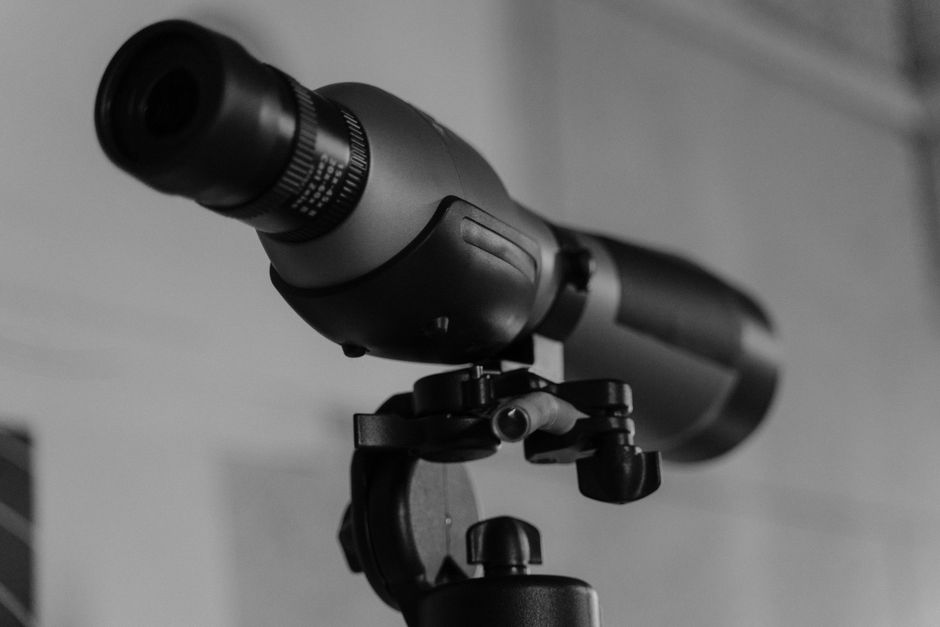
Setting up your autoguiding setup for stars for the first time can feel like a lot, but if you follow these steps, you’ll be up and running in about 20 minutes.
- Mount the Hardware: Secure your guidescope to the top of your main telescope. Ensure there is zero “wobble.” Any movement between the two scopes (differential flexure) will cause trailed stars even if the software thinks it’s guiding perfectly.
- Connect the Cables: Run a USB cable from your guide camera to your computer. If your mount has an ST-4 port, you can run a cable from the camera to the mount. However, many of us prefer “pulse guiding” through a single USB connection to the mount, as it reduces cable snags.
- Set the Tripod: Ensure your tripod is level and stable. If you’re unsure about the height, check our tips on determining the best tripod height.
- Create a Dark Library: In your software (like PHD2), cover the guidescope and take a series of “dark frames.” This helps the software ignore “hot pixels” (static white dots on the sensor) so it doesn’t try to guide on a fake star.
Selecting and Focusing on a Suitable Guide Star
Once the sun goes down and you have polar aligned your mount, open your guiding software and start “looping” exposures (usually 2-3 seconds long). You should see stars appear on the screen.
Pick a star that is bright but not “flat-topped” or saturated. If the star looks like a solid white square, it’s too bright—pick a fainter one. Modern software like PHD2 now offers “multi-star guiding,” which averages the positions of several stars at once to cancel out atmospheric turbulence (seeing). If you are using a manual tripod, make sure it’s one of the affordable tripods for night sky photography that can actually handle the weight of a dual-scope setup.
Calibration and Tuning for Success
Calibration is the process where the software moves the mount in four directions (North, South, East, West) to see how the star reacts.
- Step Size: If the star doesn’t move enough, increase the calibration step size.
- Aggressiveness: This is how “hard” the software pushes the mount. If your graph is zig-zagging wildly, turn the aggressiveness down. If the mount isn’t reacting fast enough, turn it up.
- Backlash: If there is a delay when the mount switches from North to South, you may need to “clear backlash” by moving the mount slightly before starting calibration.
Troubleshooting Common Errors and Performance Tips
Even with a perfect autoguiding setup for stars, things go wrong. The most common issue is “chasing the seeing.” This happens when the atmosphere is turbulent, and the software tries to follow the star as it “twinkles.” This leads to a jagged guiding graph. The fix? Increase your exposure time to 3 or 4 seconds to average out the wobbling.
Wind is another enemy. A long telescope acts like a sail. If it’s windy, you might need to lower your tripod or use a windbreak. For more on timing your shoots around weather, see timing tips for capturing stars 2.
The Critical Role of Polar Alignment and Balance
Autoguiding is not a magic wand for a bad setup. If your polar alignment is way off, the guider has to work overtime, leading to “field rotation” where stars in the corners of your image start to circle the center. We always recommend getting your polar alignment as close as possible before starting the guider.
Balance is equally important. We often balance our mounts “East-heavy.” This means the side of the mount facing East is slightly heavier, which keeps the gears firmly pressed against each other, eliminating the “slop” or backlash in the system. Check your tripod height and stability one last time before you start a long sequence.
Frequently Asked Questions about Autoguiding
What is the difference between a guidescope and an off-axis guider?
A guidescope is a separate, smaller telescope mounted on top of your main one. An off-axis guider (OAG) is a small prism that sits in your main telescope’s light path, “stealing” a tiny bit of light from the edge of the frame to send to the guide camera. OAGs are better for long-focal length scopes like SCTs to prevent mirror flop issues.
How do I fix “star lost” errors in my guiding software?
“Star lost” usually happens because a cloud passed over, the star moved out of the frame, or the camera lost focus. First, check your cables. Then, check for clouds. If everything looks clear, try increasing your exposure time or choosing a brighter guide star.
Is autoguiding necessary for wide-angle star photography?
Generally, no. If you are using a wide-angle lens (like a 14mm or 24mm), the “pixel scale” is so large that the mount’s tiny errors won’t show up in a 2 or 3-minute exposure. Autoguiding really becomes essential once you move past 100mm or 200mm focal lengths.
Conclusion
Mastering an autoguiding setup for stars is the single biggest “level up” you can take in astrophotography. It moves you away from the frustration of 30-second limits and into deep, rich, long-exposure imagery. While the graphs and cables might seem intimidating at first, most of the work is done by the software.
By following the steps we’ve outlined—choosing the right gear, balancing your mount, and being patient with calibration—you’ll soon be capturing pinpoint stars and faint nebulae that you never thought possible. At Pratos Delícia, we believe that every clear night is an opportunity for a masterpiece. So, grab your gear, head outside, and start your astrophotography journey today!
