
What Are the Best Star Trails Camera Settings?
Star trails camera settings can feel overwhelming at first — but they don’t have to be. Here’s a quick-reference guide to get you started right away:
Recommended Star Trails Camera Settings:
| Setting | Recommended Value |
|---|---|
| Mode | Manual (M) |
| Aperture | f/2.8 (or widest available) |
| ISO | 800–1600 |
| Shutter Speed | 20–30 seconds per frame |
| Interval (between shots) | 1–2 seconds |
| White Balance | Manual, 4000K or lower |
| File Format | RAW |
| Long Exposure Noise Reduction | OFF |
| Lens Focus | Manual, set to infinity |
- Shoot 100–400 frames and stack them in software like StarStaX or Photoshop
- Point your camera north (Northern Hemisphere) for circular trails around Polaris
- Point east or west for diagonal arc-shaped trails
There’s something almost magical about watching stars turn into glowing streaks across the night sky. That effect — called a star trail — happens because the Earth is constantly rotating. When you leave your camera’s shutter open long enough, it records that motion as beautiful arcs of light.
The good news? You don’t need a telescope or a star tracker to pull this off. A camera with manual controls, a sturdy tripod, and the right settings are all it takes.
The tricky part is knowing which settings to use — and why. Too much ISO and your image looks grainy. Too short an exposure and you get dots, not trails. Miss the focus and the whole shoot is wasted.
This guide breaks it all down simply, step by step.
Common star trails camera settings vocab:
Essential Gear for Night Sky Photography
Before we dive into the internal menus of your camera, we need to make sure your physical setup is rock solid. Unlike daytime photography where you can often “fix it in post,” night photography is unforgiving of hardware failures. If your tripod wobbles or your battery dies halfway through a three-hour sequence, there is no one simple way to capture star trails that can save the shot.
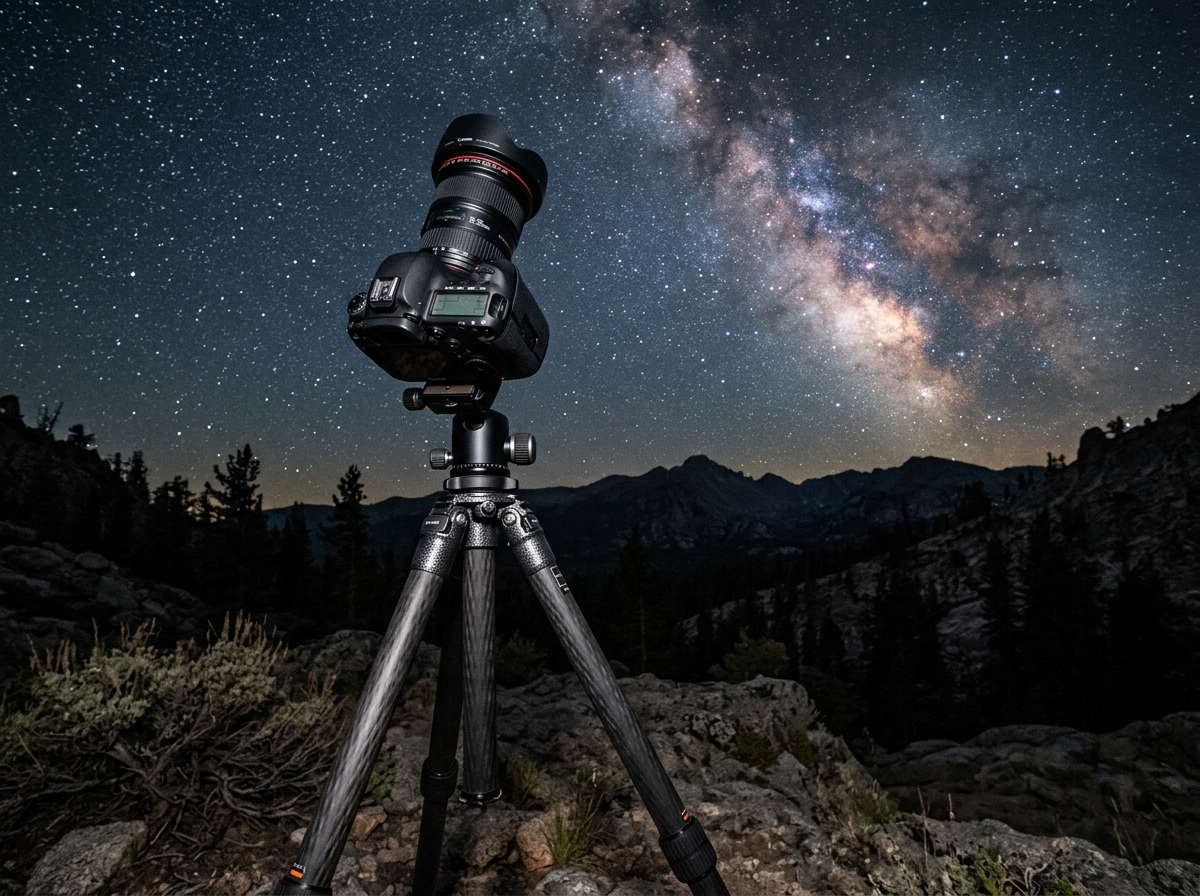
- A Sturdy Tripod: This is non-negotiable. You are going to be taking photos for anywhere from 45 minutes to four hours. Any vibration — even a light breeze — can turn your sharp star streaks into squiggly lines. We recommend a carbon fiber tripod if possible, as they dampen vibrations better than aluminum.
- Wide-Angle Lens: To capture the grand scale of the sky, you want something wide. Lenses in the 14mm to 24mm range (on full-frame) are ideal. A “fast” lens with a maximum aperture of f/2.8 or wider is the gold standard, though f/4 can work if you boost your ISO.
- Intervalometer: This is the “brain” of your operation. It tells your camera to take a 30-second photo, wait one second, and then take another. Many modern cameras have this built-in, but an external remote shutter release is a great backup.
- Extra Batteries: Long exposures eat battery life for breakfast. In cold weather, batteries drain even faster. We suggest bringing at least 3-5 fully charged batteries or using a USB power bank if your camera supports external charging.
- Lens Heater: This is a pro secret. On humid nights, dew will form on your lens, turning your beautiful stars into a blurry fog. A small USB-powered heater strip wrapped around the lens barrel keeps the glass just warm enough to prevent condensation.
Mastering Your Star Trails Camera Settings
When we talk about star trails camera settings, we have to choose between two main philosophies: the “Single Long Exposure” and the “Image Stacking” method.
While the old-school way was to leave the shutter open for an hour (Single Exposure), the modern standard is Stacking. Why? Because if a plane flies through your frame or someone accidentally shines a flashlight at your camera, you only lose one 30-second frame instead of a whole hour of work.
| Feature | Single Long Exposure | Image Stacking (Recommended) |
|---|---|---|
| Noise Level | High (Sensor heats up) | Low (Sensor cools between shots) |
| Risk Factor | High (One mistake ruins everything) | Low (Can delete bad frames) |
| Flexibility | Low | High (Can make a timelapse too!) |
| Post-Processing | Minimal | Requires stacking software |
To get started, put your camera into Manual Mode (M). This gives us total control over the “Big Three”: Aperture, ISO, and Shutter Speed. You also need to ensure you are shooting in RAW format. RAW files record the most data, which is essential for how to night sky camera settings the right way because it allows you to adjust exposure and white balance later without destroying image quality.
One critical setting to double-check: Turn OFF Long Exposure Noise Reduction. If this is on, the camera takes a “dark frame” after every shot, which takes as long as the exposure itself. If you take a 30-second photo, the camera will wait 30 seconds to process it. This creates massive gaps in your star trails, making them look like dashed lines instead of solid arcs.
Choosing the Right Aperture and ISO for Star Trails Camera Settings
Aperture and ISO are your tools for gathering light. In the dark of night, we need to open the “eye” of the camera as wide as possible.
- Aperture (f-stop): Set your lens to its widest aperture, typically f/2.8 or f/1.4. This allows the maximum amount of light to hit the sensor. Interestingly, star trails are more forgiving of lens imperfections like “coma” (where stars look like little seagulls) because the stacking process blends those shapes into lines anyway.
- ISO: This is where beginners often get tripped up. While Milky Way photography often requires ISO 3200 or 6400, star trails camera settings usually work better at ISO 800 to 1600.
Why lower the ISO? Because we want to preserve the natural color of the stars. If the ISO is too high, the stars become “clipped” (pure white), and you lose the beautiful blues, oranges, and yellows that make a trail look dynamic. Lowering the ISO also keeps sensor noise to a minimum, ensuring a cleaner final image. If you’re mastering your camera settings for low light photography, exposure time is your friend, while high ISO is a necessary evil.
Shutter Speed and Intervalometer Star Trails Camera Settings
Now for the timing. For the stacking method, we want individual exposures that are long enough to see the stars but short enough to keep the sensor cool.
- Shutter Speed: 30 seconds is the sweet spot. It’s a standard setting on almost every camera and provides enough light to capture dim stars.
- The Interval: This is the “gap” between photos. Set your intervalometer to 1 second. You want the shutter to fire again almost immediately to avoid gaps in the trails.
- The “Doubling Principle”: Fun fact — on many cameras, a “30-second” exposure is actually 32 seconds due to the way stops are calculated (1, 2, 4, 8, 16, 32). If your intervalometer isn’t firing correctly, try setting the interval to 33 or 34 seconds to account for this internal camera math.
If you are using nikon astrophotography settings that wont leave you in the dark, look for the “Interval Timer Shooting” menu. Set the interval to be 1 second longer than your shutter speed to ensure the camera has time to write the file to the SD card before the next shot begins.
Planning Your Shoot: Location, Moon, and Direction
You can have the perfect star trails camera settings, but if you’re standing under a streetlamp during a full moon, you won’t see many stars. Planning is 90% of the battle in astrophotography.
The Moon Phase
The moon is essentially a giant flashlight in the sky. For the best results, shoot during a New Moon or when the moon is less than 25% illuminated. However, a small amount of moonlight can actually be helpful! A crescent moon can illuminate your foreground (like a mountain or an old barn) without washing out the stars.
Finding Dark Skies
Use a light pollution map (like Blue Marble or DarkSiteFinder) to find a location away from city glow. The darker the sky, the more “dense” your star trails will look because the camera will pick up the faint stars that city lights usually hide.
Direction Matters
The Earth rotates around its axis, which points toward the celestial poles.
- North (Northern Hemisphere): Point your camera at Polaris (the North Star). The stars will appear to move in perfect concentric circles around this point.
- South: Points toward the South Celestial Pole, creating a “wall” of stars or large arcs.
- East or West: Stars will appear as straight lines or diagonal streaks.
Using an app like PhotoPills or Stellarium allows you to visualize making the night sky spin with long exposures before you even set up your tripod. You can “see” where the circles will form and compose your shot accordingly.
How to Focus and Capture Sharp Trails
Focusing at night is notoriously difficult because autofocus systems need light to work. If you rely on autofocus, your camera will likely “hunt” back and forth and fail to take a single photo.
- Switch to Manual Focus (MF): Do this on both the lens and the camera body.
- Use Live View: Turn on your camera’s screen and find the brightest star in the sky (or a distant light on the horizon).
- Digital Zoom: Use the “magnify” button on your LCD to zoom in 5x or 10x on that star.
- The Infinity Mark: Slowly turn your focus ring until the star becomes a tiny, sharp pinpoint. Don’t just turn the ring to the “infinity” symbol (∞) and stop; most lenses actually focus slightly past infinity.
- Check for Chromatic Aberration: If you see a purple or blue “halo” around the star, your focus is slightly off. Tweak it until the halo disappears.
Once you’ve nailed the focus, tape the focus ring down with a piece of painter’s tape. This prevents you from accidentally bumping it in the dark. For more on this, check out the ultimate guide to best settings for stars photography.
Post-Processing and Stacking Your Images
Once you get home, you’ll have a memory card with 200 or 300 RAW files. Now comes the “magic” part: merging them into one image.
Step 1: Basic Edits
Import your photos into Lightroom. Pick one photo, adjust the exposure, cool down the White Balance (around 3800K–4000K), and add a bit of Contrast and Clarity. Once you like the look, Sync these settings to all 300 photos.
Step 2: Exporting
Export your photos as high-quality JPEGs. This makes the stacking process much faster for your computer to handle.
Step 3: Stacking with StarStaX (Free)
StarStaX is the industry standard for this. It’s free and incredibly easy to use.
- Lighten Blend Mode: This tells the software: “Look at all these photos and only keep the brightest pixel from each one.” Since the stars move and the landscape stays dark, the software creates a continuous line of stars.
- Gap Filling: If you have tiny gaps in your trails (from that 1-second interval), this mode will intelligently bridge them.
- Comet Trails: This is a cool artistic effect that makes the stars look like they have a “tail” that fades out.
Step 4: Dark Frames
If you took 10–20 “dark frames” (photos taken with the lens cap on at the end of your shoot), you can load them into StarStaX. The software uses these to identify and subtract “hot pixels” (random red or blue dots caused by sensor heat), resulting in a much cleaner image. This is a vital part of star trail image editing a new dimension to the night sky.
Frequently Asked Questions about Star Trails
Should I use a single long exposure or multiple exposures?
We almost always recommend multiple exposures (stacking). A single 60-minute exposure generates a massive amount of heat on the sensor, which leads to “thermal noise” (grainy purple blotches). Stacking keeps the sensor cooler and gives you a safety net. If a car drives through your shot with its high beams on, you only lose 30 seconds of work, not an hour.
How many photos do I need for a full circle?
To see a significant “arc,” you need at least 60 to 90 minutes of shooting (about 120–180 frames). For a very long, dramatic trail that covers a large portion of the sky, aim for 3 to 4 hours (300–500 frames). The Earth rotates 15 degrees every hour. A 4-minute shot with a telephoto lens might show a tiny trail, but with a wide-angle lens, you need time to see the “spin.”
Why are my star trails blurry or gapped?
Blurry trails are usually caused by tripod movement or poor focus. Make sure your tripod is weighted down and your image stabilization (IS/VR) is turned OFF while on the tripod. Gaps are caused by having too long an interval between shots. Keep your interval at 1 or 2 seconds. If you still see gaps, use the “Gap Filling” mode in StarStaX.
Conclusion
Capturing the rotation of the Earth is one of the most rewarding experiences a photographer can have. It requires patience, a bit of late-night coffee, and a solid understanding of star trails camera settings. By using the stacking method, keeping your ISO moderate, and focusing manually, you can create images that look like they belong in a science center gallery.
At Pratos Delícia, we believe that the best way to learn is to get out there and experiment. Don’t be afraid of the dark! Use these settings as your foundation, but don’t be afraid to tweak them based on the conditions of your specific night.
For more tips on keeping your cool while the shutter is open, read our guide on how to do long exposure photography without losing your mind.
Ready to level up your night photography game? Master the night with our expert photography guides and never leave your camera in the dark again!
