
You’re One App Away From Reading the Night Sky
Star constellation finder apps let you point your phone at the sky and instantly identify stars, planets, and constellations in real time using augmented reality (AR).
Here are the top AR star constellation finder apps worth knowing about:
| App | Best For | Platform | Offline? |
|---|---|---|---|
| Sky Guide | Beginners + astrophotographers | iOS | Yes |
| Stellarium | Desktop + web use | Web/iOS/Android | Partial |
| The Night Sky | Casual stargazers | iOS/Android | Limited |
| AstroViewer | Browser-based quick reference | Web | No |
| TheSkyLive | Device-calibrated sky maps | Web | No |
Ever stood outside on a clear night, looked up, and had absolutely no idea what you were looking at?
You’re not alone. Millions of people look up every night and wonder “what constellation is that?” — and most of them reach for their phones.
If you’re just getting started with night sky photography, knowing what you’re pointing your camera at makes a huge difference. AR constellation apps solve that problem in seconds. You hold up your phone, and the app overlays star names, constellation lines, and planet labels right on your live camera view.
No paper charts. No memorizing coordinates. No experience needed.
These tools are especially useful for beginner photographers trying to plan a shot — knowing where Orion rises, when the Milky Way core will be visible, or whether that bright dot is Jupiter or a distant star can completely change how you frame and time your photos.
What is a Star Constellation Finder and How Does It Work?
At its heart, a star constellation finder is a digital bridge between your backyard and the cosmos. But how does a small piece of glass and silicon in your pocket know exactly where a star trillions of miles away is located? It feels like magic, but it’s actually a clever combination of hardware and high-level math.
When we open an AR stargazing app, our phones use a suite of internal sensors to orient themselves. The GPS tells the app exactly where we are on Earth’s surface, while the gyroscope and accelerometer track the angle at which we are holding the device. Finally, the magnetometer (a digital compass) determines which direction we are facing.
By combining these data points, the app can tap into a massive astronomical database to project a “digital planetarium” onto our screens. This real-time mapping ensures that when we point our phone toward a bright light in the southern sky, the app can confidently tell us if it’s the planet Mars or the star Antares.
For these tools to be truly effective, device calibration is key. Many apps, like those found on TheSkyLive, require a quick “figure-eight” motion or a three-point alignment—pointing at the horizon and then at a 45-degree angle—to sync the virtual map with the physical sky. Once calibrated, these apps use sophisticated astronomical algorithms to account for the Earth’s rotation and your specific latitude.
If you are curious about the technical side of how these tools maintain accuracy, you can explore more info about tracking stars on mobile to see how different developers handle the challenge of celestial movement.
Top-Rated Apps for Real-Time Stargazing
When we look at the landscape of available tools, one name consistently rises to the top: Sky Guide. This app is a powerhouse in the community, boasting a 4.8 out of 5 rating from over 357,000 users. It’s easy to see why. The interface is cinematic, turning your phone into a window that looks through the clouds and light pollution.
One of the most impressive features of Sky Guide is its ability to track more than just stars. It provides real-time satellite tracking and ISS notifications. Imagine standing in a dark field and receiving a buzz on your wrist just as the International Space Station begins its silent arc across the sky. It transforms a simple walk into an interactive space mission.
For those of us who enjoy heading off the beaten path, Sky Guide offers robust offline functionality. Whether you’re camping in a remote national park or deep in the backcountry where cellular signals go to die, the app still works. It doesn’t need Wi-Fi or GPS to show you the constellations, making it an essential tool for wilderness explorers.
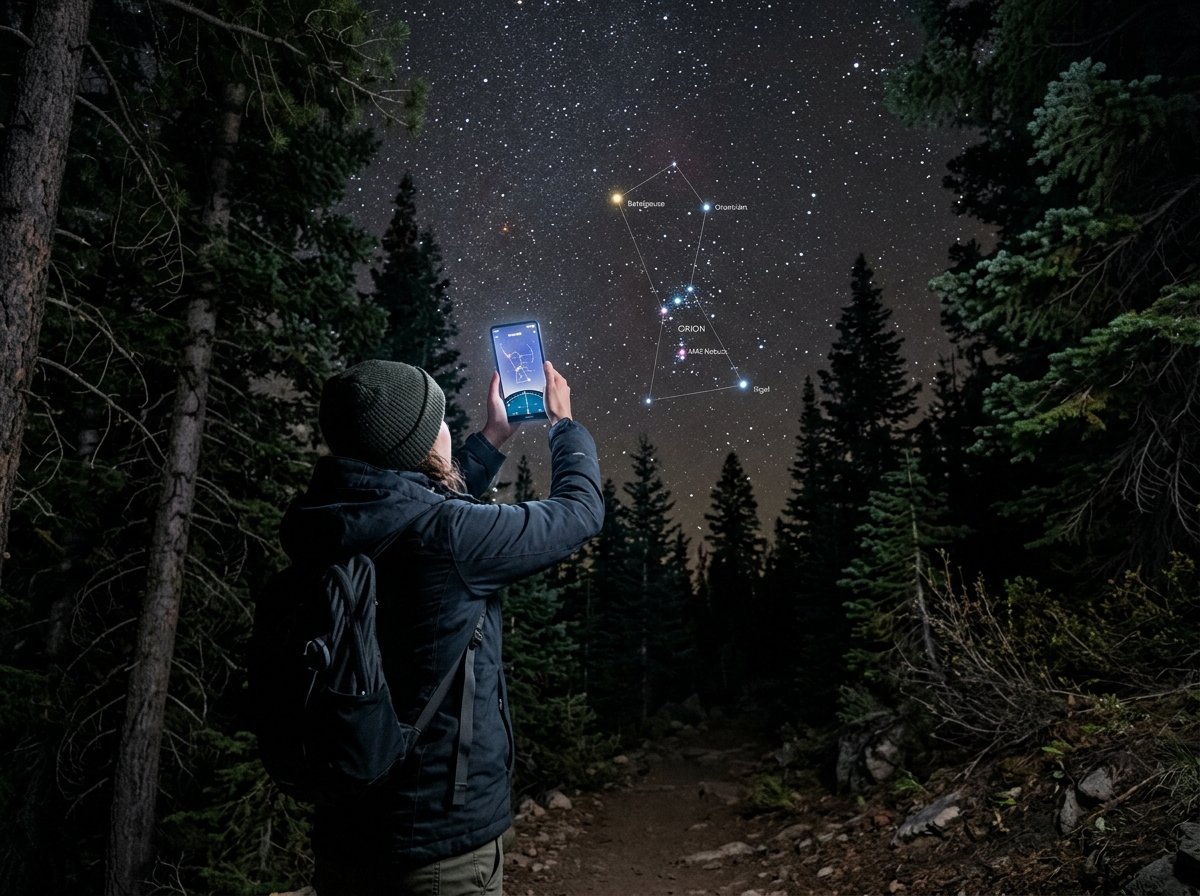
Beyond just finding stars, these apps are vital for photographers. By adding clarity to constellation photos through better planning, you can use features like cinematic time controls to “fast-forward” the sky. This allows us to see exactly where the Moon will be at 2:00 AM, helping us avoid unwanted glare in our long-exposure shots.
You can find the app here: Sky Guide – App Store – Apple.
Choosing the Best Star Constellation Finder for Beginners
If you’re just starting out, the sheer amount of data in a star constellation finder can be overwhelming. We always recommend looking for a few specific features that make the learning curve a little gentler:
- Night Mode: This is non-negotiable. Night mode turns the interface red, which helps preserve your “dark adaptation.” Our eyes take about 20-30 minutes to fully adjust to the dark; a single flash of white light from a phone screen can ruin that instantly.
- Magnitude Filters: In a city, you might only see ten stars. In the desert, you see ten thousand. A magnitude filter allows you to “dim” the app’s stars to match what you can actually see with your naked eye, making it much easier to identify patterns.
- Search Functionality: If you want to find the Big Dipper, you shouldn’t have to wander aimlessly. A good app will have a search bar that highlights the object and gives you an arrow to follow.
For those diving into photography alongside stargazing, checking out mobile astrophotography for beginners can help you pair the right app with the right camera settings. Many beginner-friendly apps also include interactive tutorials that explain the mythology behind the “dot-to-dot” puzzles in the sky.
Advanced Tools for Tracking Planets and the Milky Way
As we move from “casual observer” to “amateur astronomer,” our needs change. We start looking for the galactic plane—the rich, cloudy band of the Milky Way—and deep-sky objects like the Andromeda Galaxy or the Orion Nebula.
Advanced tools like Stellarium Web Online Star Map or the Online Star Atlas – In-The-Sky.org provide features that go far beyond simple name labels. These include:
- RA/Dec Grids: Right Ascension and Declination are the longitude and latitude of the sky. Advanced users use these to point telescopes with extreme precision.
- Ecliptic Lines: This is the path the Sun and planets follow. If you see a bright “star” that doesn’t twinkle and it sits right on this line, you’ve likely found a planet.
- Galactic Plane Markers: Essential for Milky Way photographers, these markers show the “Great Rift” and the “Galactic Center,” which is the densest and most photogenic part of our galaxy.
Getting a sharp shot of these distant wonders requires more than just finding them; it requires technical skill. We recommend reading up on focusing on stars for sharp night skies to ensure your advanced tracking pays off in your final images. You can also use tools like the Star Atlas – Interactive Night Sky Map to plan your viewing sessions weeks in advance.
Why the Night Sky Changes Every Season
Have you ever noticed that Orion is a staple of winter nights but seems to vanish in the summer? This isn’t a cosmic coincidence; it’s a result of Earth’s dual-motion through space.
First, there is the 4-minute daily shift. Because the Earth is orbiting the Sun while also spinning on its axis, stars appear to return to the same spot in the sky about 4 minutes earlier every single night. This is the difference between a “solar day” (24 hours) and a “sidereal day” (23 hours and 56 minutes). Over a month, this adds up to two hours, and over a year, it means an entirely different set of constellations takes center stage.
Secondly, our position in Earth’s orbit determines which way we are looking into the deep dark of space during our night. In the winter (for the Northern Hemisphere), we are looking away from the center of our galaxy, toward the bright, bold stars of Orion and Taurus. In the summer, we look toward the galactic center in Sagittarius and Scorpius.
Understanding these shifts is crucial for anyone interested in constellations through a lens. If you want to photograph the “Summer Triangle,” you need to know it won’t be high in the sky during a February midnight. Using a star constellation finder with a “time travel” feature allows us to scroll through the months and plan our photography trips for the perfect season.
Frequently Asked Questions about Star Constellation Finders
Navigating digital astronomy often brings up a lot of questions. We’ve compiled some of the most common queries to help you settle into your new hobby.
Comparison: Interactive Apps vs. Traditional Printed Star Charts
| Feature | Interactive AR Apps | Traditional Printed Charts |
|---|---|---|
| Ease of Use | Instant; point-and-identify | Requires manual orientation |
| Accuracy | Real-time; accounts for planets | Static; doesn’t show planets/satellites |
| Light Pollution | Can filter stars to match view | Hard to read in the dark |
| Battery Life | Drains phone battery quickly | Never runs out of “power” |
| Learning Curve | Very low | Moderate (requires map reading skills) |
One major factor to consider is light pollution. While a printed chart is a beautiful tool, it can be difficult to use in a city where only the brightest stars are visible. An app like AstroViewer can be adjusted to show only what is visible from your specific location, reducing the clutter and confusion.
Which constellations are visible tonight in my location?
The answer depends entirely on your latitude and the current time. If you are in the Northern Hemisphere, you have “circumpolar” constellations that never set, such as the Big Dipper (Ursa Major), the Little Dipper (Ursa Minor), and Cassiopeia (the distinctive ‘W’ shape). These rotate around Polaris, the North Star, which stays nearly stationary.
To find out exactly what is above your head right now, we suggest using a tool like the Constellation Finder – Star Map Tonight. These live maps automatically detect your location to show a real-time view of the horizon. If you prefer a browser-based tool that you can check before heading outside, Quickly Identify Stars and Constellations in the Sky ! is a fantastic resource.
Can I use a star constellation finder for astrophotography?
Absolutely! In fact, most modern astrophotographers consider them essential. Beyond just identifying stars, these apps help with:
- Telescope Alignment: Many apps can be synced with “GoTo” telescope mounts to help the equipment find deep-sky objects like nebulae.
- Framing: You can use AR mode to see exactly where a constellation will be in relation to a foreground object (like a mountain or a tree) before the stars even come out.
- Long Exposure Planning: Apps help you calculate how long you can leave your shutter open before the stars start to “trail” due to the Earth’s rotation.
For more specialized advice on this, check out our guides on top apps for mobile astrophotography and mastering mobile astrophotography. These resources will help you move from simply finding a nebula to capturing it in stunning detail.
How accurate are real-time constellation finders compared to printed charts?
Digital finders are significantly more accurate for day-to-day use. While stars move very slowly over human lifetimes (a phenomenon called precession), planets move quite quickly. A printed star chart from 2020 won’t show you where Jupiter is tonight, but a live app will.
Furthermore, apps can account for your exact coordinates. A printed chart is usually designed for a specific latitude (like 34° N), whereas an app uses your phone’s GPS to give you a custom view. For the most precise data, tools like SKY-MAP.ORG allow you to zoom in on specific coordinates to see stars down to the 5th or 6th magnitude.
Conclusion
At Pratos Delícia, we believe that the night sky belongs to everyone. You don’t need an expensive observatory or a degree in astrophysics to appreciate the beauty of the cosmos. With a star constellation finder in your pocket, the universe becomes an open book, ready for you to read.
Whether you are using Sky Guide to track the ISS, planning a photoshoot with Stellarium, or just teaching your kids about the Big Dipper with a paper planisphere, the goal is the same: to look up and feel a connection to the vast world beyond our own.
If you’re ready to take the next step and start capturing these moments, be sure to visit our Night Sky Photography: A Complete Guide for Beginners. It’s the perfect companion to your new favorite app.
The stars return every night, four minutes earlier than the night before, waiting for you to notice them. So, grab your phone, step outside, and start your celestial discovery journey. The universe is waiting!
