
How to Hack Your Phone Camera for Space Photos
Your Pocket Telescope: Why Smartphone Cameras Are Changing Astrophotography
The best astrophotography mobile camera options in 2025 are listed below — so you can make a fast decision before diving into the full guide:
| Phone | Best For | Key Feature |
|---|---|---|
| Google Pixel 8/9 Pro | Beginners & automation | Night Sight + AI stacking (up to 4 min) |
| Samsung Galaxy S24 Ultra | Detail & zoom | Large sensor + 100x Space Zoom |
| iPhone 15 Pro Max | iOS users | Night Mode + ProRAW support |
| Xiaomi 14 Ultra | Budget-conscious pros | Wide aperture + manual controls |
| Huawei P60 Pro | Moon & planets | Dedicated Moon Mode + optical zoom |
Not long ago, capturing the Milky Way required thousands of dollars in gear, a physics degree, and a very patient personality. Today, the phone in your pocket can do something genuinely remarkable.
Astrophotography mobile camera technology has advanced so fast that even entry-level smartphones now capture stars, nebulae, and the Milky Way core — things invisible to the naked eye in many locations.
The secret? Computational photography. Instead of relying on one long exposure like a traditional camera, modern smartphones take dozens of short exposures and merge them automatically. Google’s Pixel phones, for example, shoot up to 16 frames of 16 seconds each and stack them using AI — all without you touching a single setting.
This guide is built for beginners who want stunning night sky photos without spending a fortune. We’ll cover the best hardware, the right apps, and the techniques that actually work.

Simple guide to astrophotography mobile camera terms:
Best Astrophotography Mobile Camera Hardware for 2025
When we look for the perfect astrophotography mobile camera, we aren’t just looking at megapixels. We are looking for sensor size, aperture, and—most importantly—the software “brains” behind the lens. In 2025, a few heavy hitters dominate the dark sky.
Google Pixel Series: The King of Automation
The Google Pixel remains the gold standard for ease of use. Since the Pixel 4, Google has utilized its “Night Sight” mode to detect when the phone is perfectly still on a tripod. Once it detects stability, it engages a dedicated astrophotography mode. According to Google’s research, the Pixel 4 and newer models can take up to 16 separate 16-second exposures, merging them into a single 4-minute masterpiece. The internal Tensor chip handles the heavy lifting, identifying stars, reducing noise, and even creating a “star-lapse” video of your session.
Samsung Galaxy S Series: The Zoom Specialist
The Samsung Galaxy S24 Ultra is a beast for planetary and lunar photography. Its ultra-wide sensors and high-resolution main sensor allow for incredible detail. Samsung’s “Expert RAW” app provides 16-bit RAW files, giving us the maximum data possible for post-processing. For those interested in the Moon, Samsung’s 100x Space Zoom uses AI to enhance surface details that smaller sensors simply can’t resolve.
iPhone: The ProRAW Powerhouse
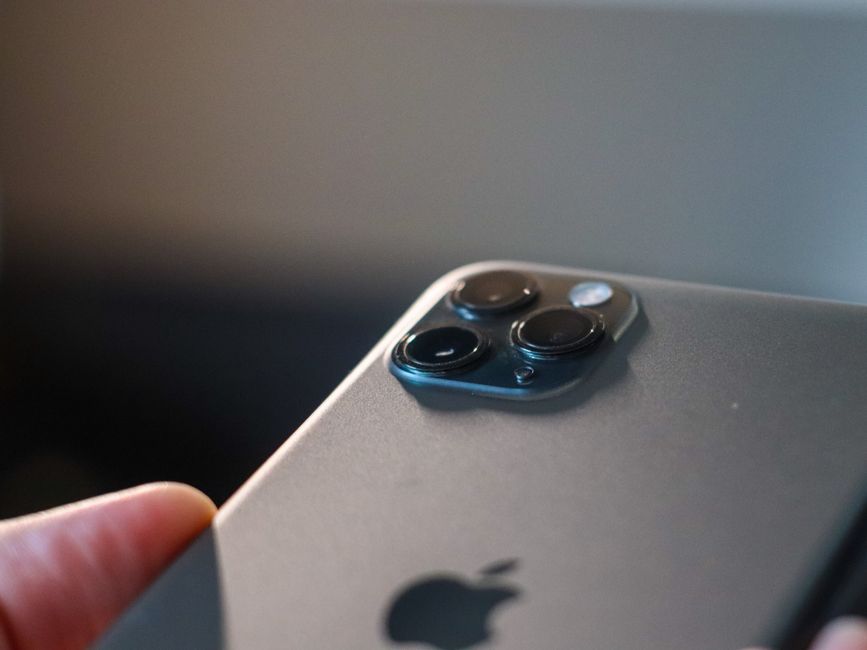
While Apple was slightly later to the dedicated “star mode” party, the iPhone 15 and 16 Pro Max are formidable tools. Their Night Mode automatically adjusts exposure based on light levels, and the ability to shoot in Apple ProRAW means we can recover incredible detail from the shadows of the Milky Way during editing.
Xiaomi and Huawei: The Hardware Innovators
Don’t overlook the Xiaomi Mi series or Huawei Pro models. Xiaomi’s Mi9T once captured a stunning Milky Way shot using 470 exposures stacked over three nights—proof that these sensors can handle extreme workloads. Huawei’s P40 and P60 Pro models use unique RYYB sensors that let in significantly more light than standard RGB sensors, making them “low-light monsters.”
| Feature | Google Pixel 9 Pro | Samsung S24 Ultra | iPhone 15 Pro Max |
|---|---|---|---|
| Max Exposure | 4 mins (Automatic) | 30s (Manual) | 30s (Night Mode) |
| RAW Support | Yes | Yes (16-bit) | Yes (ProRAW) |
| Special Mode | Night Sight Astro | Expert RAW / Astro | Night Mode |
For a deeper dive into current rankings, check out the Best camera phones for astrophotography 2025 – Space.
Essential Gear: Beyond the Smartphone
Even the best astrophotography mobile camera is useless if it’s shaking in your hand. Because we are dealing with long exposures (sometimes up to 30 seconds per frame), any movement will turn beautiful stars into blurry white streaks.
Stability is Key
A sturdy tripod is the most important piece of Equipment you can own. You don’t need a $500 carbon fiber setup; even a basic, inexpensive tripod will do, provided it has a secure smartphone clamp. If you’re in a pinch, we’ve even seen great shots taken by propping a phone against a rock or a fence post!
Star Trackers: Taking the Next Step
The Earth rotates, which causes stars to “drift” across the sky. If your exposure is longer than about 20-30 seconds, you’ll see “star trails.” A star tracker, like the Move Shoot Move, rotates your phone at the exact speed of the Earth’s rotation. This allows us to take exposures of several minutes without any blurring, revealing faint nebulae and the “dust clouds” of the Milky Way.
Telescope Adapters
Want to see the rings of Saturn or the craters on the Moon? You’ll need a telescope adapter like the Celestron NexYZ. This gadget clamps your phone to the telescope’s eyepiece, essentially turning your phone into a high-powered space camera. NASA experts recommend these as an accessible entry point for students and hobbyists alike. You can find more tips on this in A Guide to Smartphone Astrophotography – NASA Science.
The “Headphone Hack”
Even pressing the shutter button on your screen can cause enough vibration to ruin a shot. We recommend using a Bluetooth remote or a 5-second timer. A “pro tip” from the community: plug in your wired headphones and use the volume button as a remote shutter release!
Software Hacks: Apps and Manual Settings
If your phone doesn’t have a built-in “Astro Mode,” don’t panic. You can “hack” your way to great photos using third-party apps that unlock your camera’s hidden potential.
The Best Apps for the Job
- Deep Sky Camera (Android): This is a powerhouse. It supports over 570 smartphones and allows you to take hundreds of pictures in a row for stacking.
- NightCap Pro (iOS): The go-to for iPhone users. It has dedicated modes for star trails, the International Space Station (ISS), and even the Aurora.
- Camera FV-5 / ProShot: These apps turn your phone into a DSLR, giving you full control over every setting.
To learn more about using these tools, visit our section on Techniques.
Manual Settings for an Astrophotography Mobile Camera
If you are using “Pro Mode” or a manual app, use these benchmark settings to start:
- ISO: Set this between 1600 and 3200. High ISO makes the sensor more sensitive to light but adds noise (grain).
- Shutter Speed: Aim for 20 to 30 seconds. Any longer and the stars will start to trail.
- Focus: Set to “Infinity” (the mountain icon). If your stars look like soft “donuts,” your focus is off.
- White Balance: Set to “Daylight” or “Cloudy” to keep the sky looking naturally blue/black rather than orange.
- Timer: Use a 5-second delay so the phone stops vibrating after you touch it.
Capturing Deep Sky Objects with an Astrophotography Mobile Camera
Capturing distant galaxies like Andromeda requires “eyepiece projection.” This involves lining your phone lens up with a telescope eyepiece. Because these objects are so faint, we use a technique called Signal-to-Noise Ratio improvement. By taking 50 or 100 short exposures of the same object and “stacking” them later, we can cancel out the digital noise and make the faint galaxy pop.
Advanced Techniques: Stacking and Tracking
The real “magic” of professional-looking space photos happens after the shutter closes. This is where we move into Post Processing.
The Power of Stacking
Image stacking is the process of taking multiple photos of the same area of sky and blending them together. Software like Sequator (Windows), Deep Sky Stacker, or Starry Landscape Stacker (Mac) looks at your photos, aligns the stars (which have moved slightly between shots), and averages the pixels. This reduces the “grainy” noise and makes the image crisp and clear.
Fighting Light Pollution
Light pollution is the enemy of the astrophotography mobile camera. If you live in a city, the sky will look orange or grey. To get the best results:
- Use a Dark Sky Map: Apps can show you where the nearest “Bortle 1” or “Bortle 2” (truly dark) locations are.
- Post-Processing: Software like Lightroom allows us to use “linear gradients” to darken the bottom of the frame and subtract the glow of city lights.
- RAW is Mandatory: Always shoot in RAW format. A JPEG throws away 80% of the light data; a RAW file keeps everything, allowing you to “pull” the Milky Way out of a dark image.
For more technical insights on how Google handles these challenges, read Astrophotography with Night Sight on Pixel Phones.
Frequently Asked Questions about Mobile Astrophotography
How do I stop my star photos from looking blurry?
Blur is usually caused by two things: camera shake or the Earth’s rotation. Ensure your tripod is on solid ground (not vibrating in the wind) and use a remote shutter. If the stars look like little lines, your shutter speed is too long. Use the “500 Rule”: divide 500 by your lens’s focal length to find the maximum seconds you can expose before blur occurs.
Can I take photos of the Milky Way in a city?
It’s difficult, but not impossible. You’ll need to use “narrowband” filters or aggressive post-processing. However, the best advice is to drive just 30 minutes away from city centers. Even a slightly darker sky makes a massive difference for a small smartphone sensor.
Is “Moon Mode” on smartphones real or fake?
It’s a bit of both! While the phone is taking a real photo through its zoom lens, AI models (especially on Huawei and Samsung) recognize the Moon and overlay high-resolution textures to sharpen the image. It’s a feat of computational photography that helps overcome the physical limits of tiny lenses.
Conclusion
At Pratos Delícia, we believe that the best camera is the one you have with you. You don’t need to spend a fortune to touch the stars; you just need a little bit of patience and the right “hacks.”
Whether you are using a Google Pixel to automate the process or rooting an Android phone to push its sensor to the absolute limit, astrophotography mobile camera technology is more accessible than ever. Start small—try capturing the Moon tonight—and work your way up to the Milky Way.
For more step-by-step tutorials, visit our Guides section. The universe is waiting—all you have to do is look up.
