
Steady as She Goes: Using a Remote Shutter for Stars
Why Every Night Photographer Needs a Remote Shutter
Remote shutter night photography is the practice of triggering your camera’s shutter without physically touching it — and it’s the single most effective way to get sharp, blur-free images after dark.
Here’s the quick answer if you need it fast:
- What it does: Fires your camera shutter without you pressing the button
- Why it matters: Even the lightest touch on your camera during a 20–30 second exposure causes visible blur
- When you need it: Any shot at 1 second or longer — stars, light trails, cityscapes, Milky Way
- Types available: Wired cable release, wireless infrared, radio frequency, smartphone app, or intervalometer
- Cost: As low as $9 for a basic infrared remote
Night photography is unforgiving. Your shutter stays open for 10, 20, sometimes 30 seconds or more. At those speeds, the tiny vibration from pressing the shutter button — something you’d never notice in daylight — becomes a real problem. The result? Blurry stars instead of sharp pinpoints. Smeared city lights instead of crisp trails.
A tripod helps a lot. But it only solves half the problem. If you still press the shutter button by hand, you’re shaking the very camera you just stabilized.
That’s exactly where a remote shutter release comes in. It breaks the physical connection between your hand and your camera. No touch, no shake, no blur.
Whether you’re just starting out shooting stars or trying to nail your first Milky Way shot, this guide walks you through everything you need to know — simply and clearly.
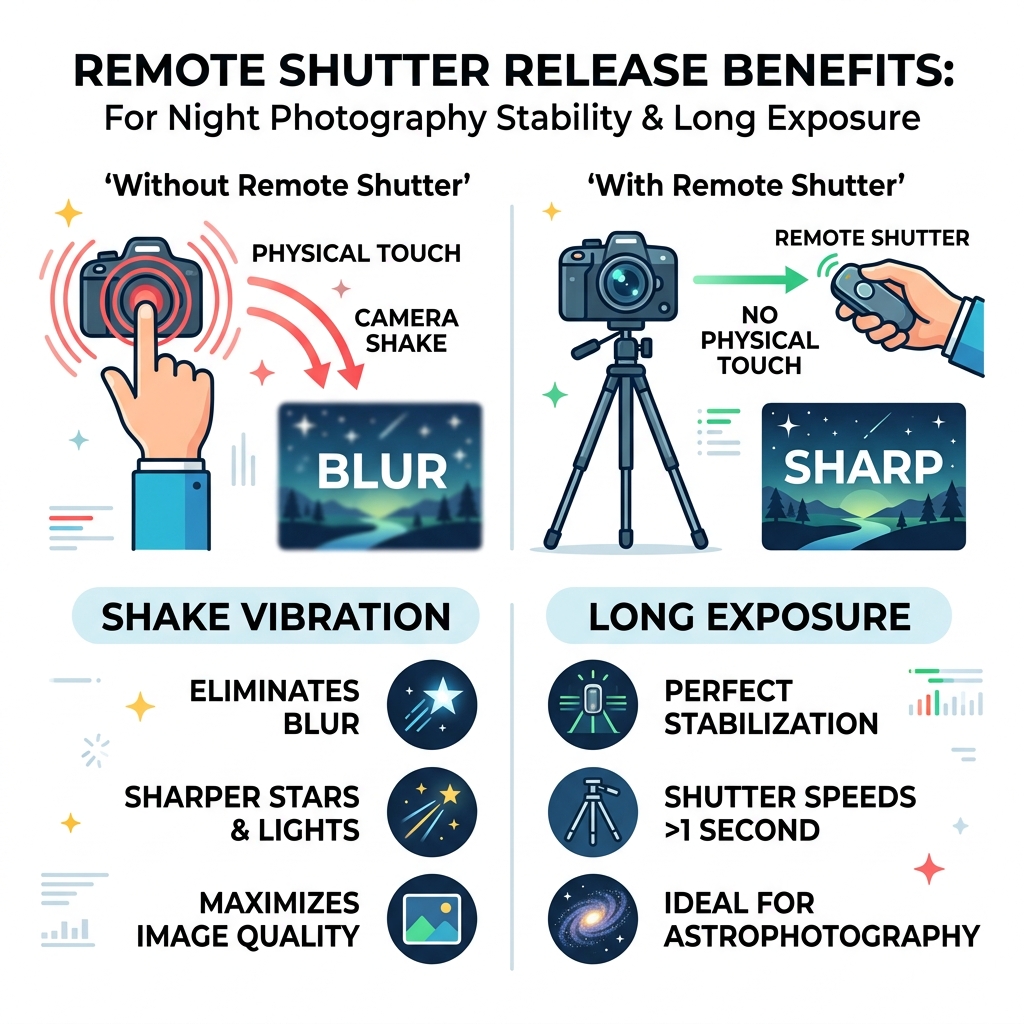
Why Remote Shutter Night Photography is Essential for Sharpness
When we step out into the darkness to capture the cosmos, we are fighting a constant battle against movement. In remote shutter night photography, even the most microscopic vibration can ruin a masterpiece. Think of your camera as a high-precision instrument; when the shutter is open for 30 seconds, it records every single wobble.
There are several primary causes of camera shake that we need to address:
- Physical Contact: The act of pressing the shutter button with your finger creates a downward force. Even on a sturdy tripod, this causes the camera to flex and vibrate for several seconds.
- Mirror Slap: In DSLR cameras, the internal mirror flips up just before the exposure begins. This mechanical “thwack” sends ripples of vibration through the sensor.
- Shutter Vibration: Even the movement of the shutter curtains themselves can cause a tiny bit of blur in very high-resolution sensors.
- Environmental Factors: Wind or even standing too close to the tripod on soft ground can transfer movement to the lens.
By using a remote, we eliminate that initial “finger-to-button” contact. This is the foundation of Techniques for sharp imagery. When we use a remote switch, we can stand a few feet away, wait for the wind to die down, and trigger the shot with zero physical impact on the gear. For a broader overview of the genre, the Wikipedia article on night photography is a useful reference.
Research shows that for exposures of 30 seconds or more-common for light trails or starscapes-even a minimal touch causes visible blur. For those of us using high-magnification lenses or shooting macro subjects at night, this shake is magnified exponentially. Using a remote ensures that the razor-thin depth of field stays exactly where we want it.
Types of Remote Shutter Releases for Low Light
Not all remotes are created equal. Depending on your budget and what you are shooting, you might prefer a simple wire or a high-tech smartphone interface. Choosing the right Equipment is about balancing convenience with reliability.
| Type | Connection | Best For | Pros | Cons |
|---|---|---|---|---|
| Wired Cable | Physical Port | Long Exposures | No batteries (usually), 100% reliable | Limited by cable length |
| Infrared (IR) | Line of Sight | Simple Self-Portraits | Very cheap ($10 or less), tiny | Requires clear view of camera front |
| Radio (RF) | Wireless Signal | Wildlife, Distant Shots | Long range (100m+), works through walls | More expensive, needs batteries |
| Smartphone App | Wi-Fi / Bluetooth | Quick Social Sharing | No extra gear to carry, live preview | Drains phone battery, no “Bulb” mode often |
| Intervalometer | Wired or Wireless | Star Trails, Time-lapse | Advanced programming, ultra-long shots | Steep learning curve |
Wired remotes are the “old faithful” of the photography world. They don’t require pairing and often don’t even need batteries to trigger a basic shot. On the other hand, wireless options like Bluetooth remotes or various RF triggers allow us to trigger the camera from up to 5 meters or even 100 meters away. This is perfect if we’re staying warm inside a car while the camera sits out in the cold capturing the Milky Way.
The Power of the Intervalometer in Remote Shutter Night Photography
If you want to move beyond single shots and into the realm of “pro” night photography, you need an intervalometer. We often call this our “night photography assistant.” An intervalometer is a remote with a brain; it allows you to program exactly when the shutter fires, how long it stays open, and how many times it repeats the process.
This is essential for:
- Star Trails: Instead of one 30-minute exposure (which creates a lot of digital noise), we use an intervalometer to take sixty 30-second shots in a row. We then stack these in post-processing for a clean, crisp result.
- Time-lapses: You can program the camera to take a photo every 15 seconds for three hours to capture a sunset or the rotation of the stars.
- Light Painting: You can set a “Delay” of 10-20 seconds. This gives you enough time to walk into the frame with your flashlight before the exposure begins.
Optimal Camera Settings for Nighttime Success
Having the best remote shutter night photography gear won’t help if your internal settings are working against you. When the sun goes down, we have to take the camera off “Auto” and take full control. Use our Guides to master these manual adjustments.
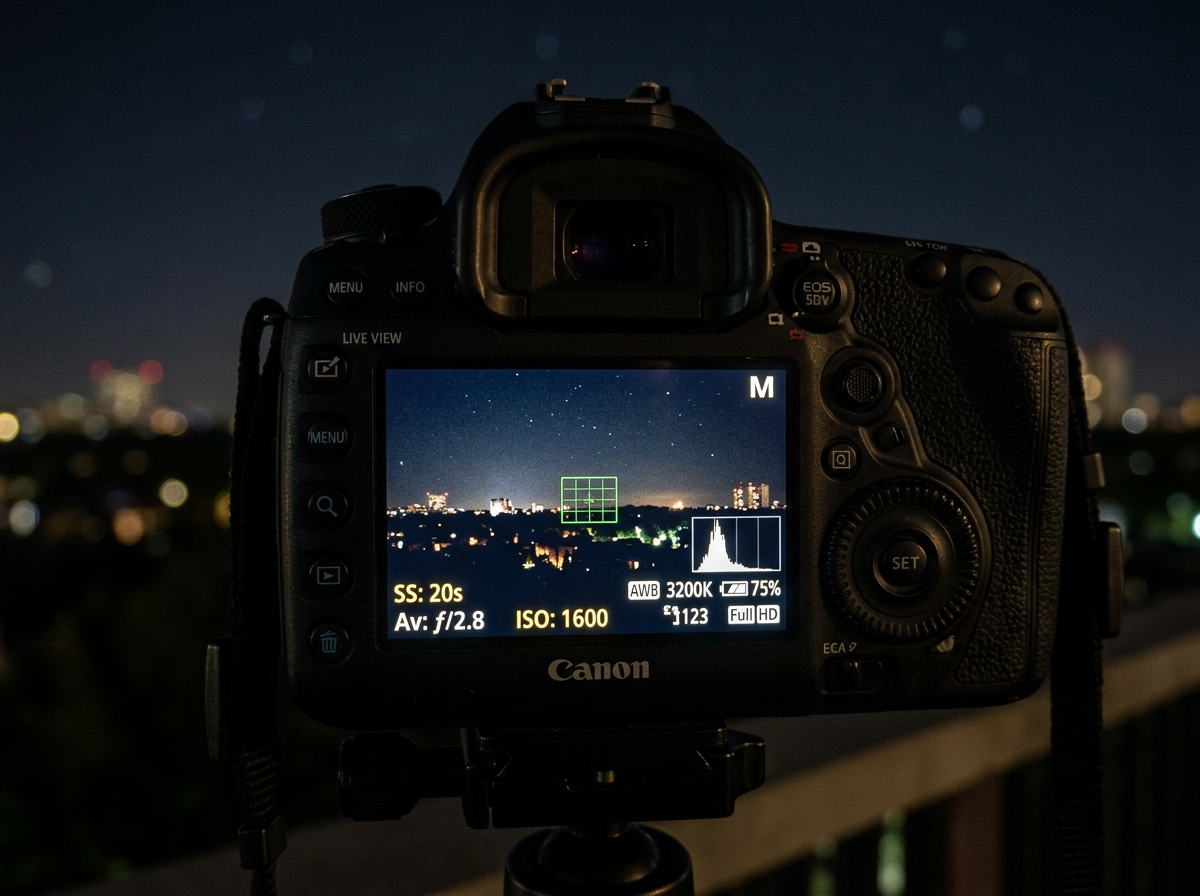
- Manual Focus (MF): Your camera’s autofocus will likely “hunt” in the dark and fail to lock onto anything. Switch to MF and use Live View to zoom in on a bright star. Turn the focus ring until the star is a tiny, sharp pinpoint.
- Infinity Focus: Most night landscapes require focusing at infinity. Don’t just turn the ring until it stops; usually, true infinity is slightly before the physical stop of the lens.
- ISO Balance: While we want a clean image, we often need to boost ISO to 800, 1600, or even 3200 to capture enough light. Modern full-frame cameras excel at this, but always test to see where your specific camera starts showing too much “noise.”
- White Balance: Set this to “Tungsten” or “Incandescent” to keep city lights from looking too orange, or “Daylight” for a natural-looking Milky Way.
Essential Settings for Remote Shutter Night Photography
To truly master the craft, we recommend several “pro” tweaks that ensure maximum stability.
- Bulb Mode: Most cameras stop at 30 seconds. In Bulb mode, the shutter stays open as long as you hold the remote button down (or until you click it a second time). This is vital for exposures that need 2, 5, or 10 minutes of light.
- RAW Format: Always shoot in RAW. Night shots often have extreme highlights (street lamps) and deep shadows. RAW files contain significantly more data, allowing us to recover details during editing that would be lost in a JPEG.
- Long Exposure Noise Reduction: This setting takes a second “dark frame” after your shot to cancel out sensor heat noise. It’s great for single shots but should be turned off for star trails to avoid gaps in the lines.
- Mirror Lock-Up: If you’re using a DSLR, enable this feature. The first press of the remote flips the mirror; the second press starts the exposure once the vibrations have settled.
Best Practices for Using a Remote Shutter on a Tripod
Setting up the gear is one thing; using it correctly in the field is another. We’ve learned a few “hard way” lessons over the years that will save you time and frustration.
- Secure the Remote: Never let your intervalometer or wired remote dangle freely. A hanging remote acts like a pendulum, creating vibrations. Even worse, the weight can eventually damage your camera’s port. Use a piece of Velcro to strap the remote firmly to a tripod leg.
- Cover the Viewfinder: This is a big one! When you aren’t looking through the viewfinder, light can leak in through the back of the camera and create strange purple flares or “ghosts” on your sensor. Use the small plastic cover that came on your camera strap, or simply hang a dark cloth over the back.
- Battery Management: Long exposures and cold nights eat batteries for breakfast. Always carry a spare for both your camera and your remote. If you’re using a wireless remote, Bluetooth and Wi-Fi drain the camera battery much faster.
- The “Two-Second Rule”: Even with a remote, if you’re feeling extra cautious, combine the remote with a 2-second self-timer. This ensures that any tiny movement from you clicking the remote button has completely dissipated before the shutter opens.
Frequently Asked Questions about Night Photography Remotes
Can I use a self-timer instead of a remote shutter?
Yes, you can. Most cameras have a 2-second or 10-second timer. This allows the vibrations from your hand to settle before the photo is taken. However, a self-timer won’t let you use “Bulb” mode for exposures longer than 30 seconds, and it’s frustrating for wildlife or moments where timing is everything (like fireworks).
How do I connect a remote shutter to my camera?
For wired remotes, look for a small port on the side of your camera labeled “Remote” or “MIC.” For wireless remotes, you’ll need to go into your camera’s “Network” or “Connection” menu to pair the devices via Bluetooth or Wi-Fi. If you’re using an Infrared (IR) remote, you usually just need to change your “Drive Mode” to “Remote.”
What is the difference between Bulb mode and Time mode?
In Bulb mode, the shutter stays open as long as the button is depressed. In Time mode (often labeled ‘T’), you press the button once to open the shutter and press it again to close it. Time mode is often easier for very long exposures because you don’t have to keep your finger on the remote for 10 minutes!
Conclusion
Mastering remote shutter night photography is a rite of passage for every landscape and astro-enthusiast. It is the bridge between “taking a picture” and “creating an image.” By removing the human element of vibration, we allow the camera to see the world as it truly is in the dark—still, silent, and full of hidden light.
Once you have captured your sharp, stable RAW files, the real magic happens in Post-Processing. Whether you are stacking star trails or balancing the glow of a city skyline, starting with a blur-free image is the most important step.
Ready to see the stars in a whole new light? Grab a sturdy tripod, plug in your remote, and start your night photography journey here.
